
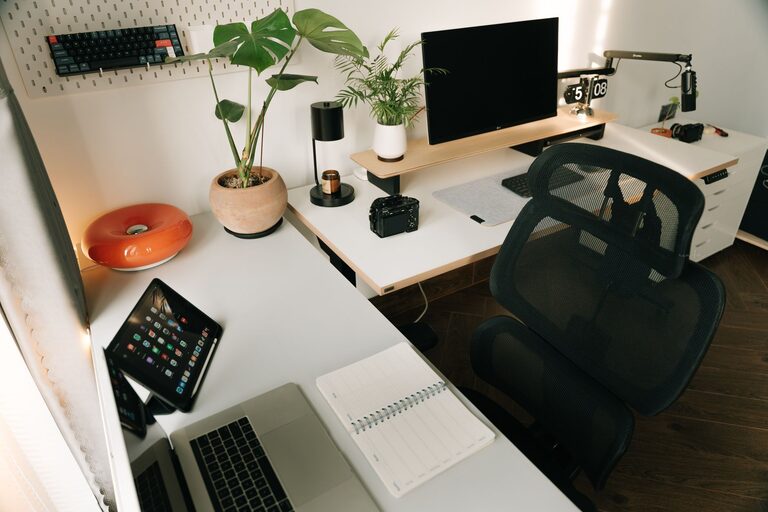
Creating a home office that is both organized and productive can make a significant difference in your daily work routine. A clutter-free space helps reduce distractions and fosters a positive mindset, allowing you to focus and achieve more. Whether you’re working remotely full-time or need a dedicated area for occasional tasks, the following tips will guide you in designing a neat and efficient home office.
Why a Clutter-Free Home Office Matters
A messy or disorganized workspace can affect your ability to concentrate and increase feelings of stress. When your desk is piled with papers or random items, it becomes harder to find what you need, wasting time and energy. Conversely, a well-organized office promotes clarity and makes work more enjoyable. It also creates a professional environment if you have video calls or meetings from home.
Start with Decluttering
Before organizing, clear your space by removing unnecessary items.
– Sort through papers and supplies: Recycle or shred old documents you no longer need.
– Get rid of duplicates: Keep only essential office tools; donate or discard extras.
– Clear personal items: Limit non-work-related decorations to maintain focus.
– Assess your furniture: Ensure your desk and chairs suit your work habits and space.
Decluttering sets the foundation for lasting organization.
Optimize Desk Space
To make the most of your workspace:
– Choose a functional desk: Opt for one with drawers or shelves for storage.
– Keep only daily essentials on your desk: This includes your computer, a notebook, pens, and perhaps a small plant.
– Manage cables: Use cable clips or sleeves to keep cords tidy and untangled.
– Use desk organizers: Trays or containers help keep small items like paper clips and sticky notes in place.
A clear desk enhances your workflow and reduces visual distractions.
Incorporate Smart Storage Solutions
Good storage keeps your office materials accessible without cluttering the area.
– Use vertical space: Install shelves or wall-mounted organizers to store books and supplies.
– Label storage containers: Clear labels make retrieving items quicker.
– Consider filing systems: Use filing cabinets, binders, or folders to organize important documents.
– Use baskets or bins: For larger items like cables or reference materials, baskets keep things neat.
Having a designated place for everything makes tidying up easier.
Create Zones for Different Tasks
Design your space to support various work activities by dividing it into zones:
– Work zone: Your primary desk area for computer work and writing.
– Reference zone: Shelves or filing cabinets for books and documents.
– Supplies zone: Drawers or boxes for office tools and stationery.
– Break zone: If space allows, a small corner with a chair for reading or relaxing.
Separating tasks physically can improve focus and organization.
Implement Daily Routines to Maintain Order
Organization requires upkeep. Consider these habits:
– End-of-day clean-up: Spend 5 minutes putting away items and clearing your desk.
– Weekly review: Check for outdated papers or supplies to remove.
– Digital declutter: Organize files on your computer regularly.
– Use a planner or digital calendar: Keep track of tasks to avoid paper clutter.
Consistent routines help sustain a tidy workspace.
Personalize Thoughtfully
While keeping clutter minimal, personalize your office to feel inviting:
– Add plants: A small plant can improve mood without taking much space.
– Choose artwork or photos sparingly: Select a few favorites that motivate you.
– Use color: Incorporate your favorite colors through office supplies or decor.
A personalized office is more enjoyable and encourages productivity.
Improve Lighting and Ergonomics
Comfort and visibility are crucial.
– Use natural light: Position your desk near a window when possible.
– Add task lighting: A desk lamp helps reduce eye strain.
– Ergonomic chair: Support your back to prevent discomfort.
– Adjust monitor height: Your screen should be at eye level to maintain good posture.
A comfortable environment supports longer, more focused work sessions.
Final Thoughts
Organizing a clutter-free and productive home office isn’t about perfection but creating a space that works for you. By decluttering, optimizing storage, setting zones, and maintaining daily routines, you can foster a workspace that helps you stay focused and efficient. Remember, small changes make a big difference over time, so start with one tip and build your ideal office step by step.
About the Author


